Monday, 1 December 2025

Two ways of publishing family history


Cover image of two printed books
Pixxibooks

Pixxibook 

In the past year I have explored some new ways of sharing my family stories. With the end of Blog2print I looked for an alternative. The photo above is of  two volumes printed by Pixxibook
First the positives, the reproduction of photos and text is excellent. The hard cover bindings and the quality of the glossy paper is also excellent.

Before I can recommend this service there are some significant limitations about which I have provided feedback to the company. While one can select which posts will be included in the book, there was no way to reorder the pages, no control over the place images appeared in the posts and no Contents page. I did not expect an index is this kind of service but think a Contents page is a minimum.

Having said all that I now have two very handsome volumes to hand on to one of my children in the years to come.

WeAre - a family archive

My second focus in the past twelve months has been using WeAre.xyz to create a comprehensive archive of all the family stories, documents and images I have compiled over the last twelve years. I can recommend this unreservedly. For a modest fee one can upload a GEDcom then get busy adding all the stories and ephemera surrounding each family, everything from images to wills to artifacts and special occasions and places. All articles, media and documents are tagged to individuals and relevant families.
Archives can be public or private but no private individuals or articles, media etc about them will be exposed in the public archive.

WeAre has a Feed feature showing the most recent additions to the archive but as one's archive grows larger, I find it useful to keep track of what I have added there, so I use Google sheets. Compared to Excel the data validation is easy to set up so I have a record of where I am up to.
image of a Google sheet showing tracking options
Tracking additions to the WeAre archive


Some may prefer to have a text document but I find the flexibility of a spreadsheet an effective way of keeping track of data.

For more details about WeAre.xyz  try the site for free for 30 days, check the YouTube channel, or join the Facebook group to find comprehensive instructions and to have any questions answered.


This post first appeared on https://carmelgalvin.info

Wednesday, 2 April 2025

Blogging in April A-Z 2025

Family History and Genealogy bloggers at Connections2025 Conference in Brisbane in March
Photo courtesy of Jill  Ball

Blogging in April 

Here is a list of Australian and NZ bloggers I have so far come across who are participating in the 2025 A-Z April Blogging challenge. The challenge is to post each day in April except Sundays using the alphabet as a guide.

Some are telling the stories of their families migration, some are focused on places or their experiences and objects. There is sure to be plenty here for your reading pleasure throughout April. 

Carole McCulloch - AI and genealogy 
Carmel Galvin - On this Day  yes, that's me.
Jennifer Jones - The Earl Grey Orphan Scheme 
Jill Ball - Peculiar Pics from her travels
Linda Curry - The Swinging Sixties 
Michelle Nichols - Pieces of my Family 
Sandra Williamson - Journeys of my Family 

If I have not found your blog, please let me know and I shall add you to this list.


This post first appeared on https://carmelgalvin.info

Tuesday, 25 March 2025

Connections Reflections


Just a few of the presentations I attended at Connections2025

Just back from three days of learning in Brisbane my thanks to GSQ, AFFHO and History Queensland for hosting an excellent conference. The mix of historical content along with AI advances and traditional genealogy was a good combination.

The opportunity to meet and mingle with like minded souls who are all keen to learn and share their expertise was a bonus. I caught up with many geni-mates known online and others I knew in real life.

Now to to refocus my research:
  • Investigate the networks or friends and neighbours of my ancestors more closely
  • Investigate the other passengers who travelled with my ancestors, were they from similar villages, towns, where did they settle etc.
  • Pay more attention to the political and social circumstances of the time
  • Work more on the organisation of my genealogical records and photos
  • Continue to use a variety of AI tools for routine data extraction and organisation tasks
Family history is never finished, there is always more one can learn and do no matter one's age. Being open to learning keeps the brain active. 

This post first appeared on https://carmelgalvin.info

Sunday, 2 February 2025

Enjoyed in January

Historical fiction is my favourite genre interspersed with family sagas. Here are some of the titles I read in January.


Five of the best

1. The Lion Women of Tehran by Marjan Kamali

In 1950s Tehran, seven-year-old Ellie lives in grand comfort until the untimely death of her father, forcing Ellie and her mother to move to a tiny home downtown. Lonely and bearing the brunt of her mother's endless grievances, Ellie dreams of a friend to alleviate her isolation. Luckily, on the first day of school, she meets Homa, a kind, passionate girl with a brave and irrepressible spirit. Follow them through their lives as they face revolutions, relationships and personal challenges.

Women's issues, revolutions, social class

2. An Undeniable Voice by Tania Blanchard

1907, London. As the winds of change sweep across the world, Hannah Rainforth and her friends take to the streets to fight for the vote for women. Now is not the time for quiet argument - the country will only listen when it's forced to, and the women join the suffragette movement, putting their bodies, reputations and personal safety on the line to achieve lasting change for women. Dark clouds of war and sinister forces are gathering on the horizon and Hannah is desperate to protect those she loves the most. Faced with the loss of her home, her livelihood and even her family, Hannah risks everything to ensure their survival - and to achieve the vote for women, which is now a matter of national urgency. As the country is plunged into war and deadly bombs are devastating the city and the north, Hannah and women across the nation join the home war effort to galvanise the nation.
Based of the life of the author's husband's great grandmother.

Historical fiction, Women's suffrage, WWI

3. The Glass Maker by Tracy Chevalier

Venice, 1486. Across the lagoon lies Murano. Time flows differently here – like the glass the island’s maestros spend their lives learning to handle. Women are not meant to work with glass, but Orsola Rosso flouts convention to save her family from ruin. She works in secret, knowing her creations must be perfect to be accepted by men. But perfection may take a lifetime. Skipping like a stone through the centuries, we follow Orsola as she hones her craft through war and plague, tragedy and triumph, love and loss. The beads she creates will adorn the necks of empresses and courtesans from Paris to Vienna – but will she ever earn the respect of those closest to her?

Historical fiction, time slips

4.  All the Golden Light by Siobhan O'Brien

1918, Belowla, south coast New South Wales. As the Great War grinds to an end, Adelaide Roberts accompanies her father to a rugged island off the south coast of New South Wales to deliver much-needed supplies. While loss and deprivation have decimated the country, Ada is determined to live a life of purpose and hope, and dreams of living independently. On the windswept rocky outcrop, she meets lighthouse keeper Emmett Huxley, a dark-eyed outsider haunted by his service in France, taking refuge from the damage of the war. 

Historical fiction, lighthouses, drug addiction, WWI

5. Down the Track by Stella Quinn

If you like some romance, a dinosaur dig in outback Queensland with a reluctant 12 year old in the mix, here's a light read to enjoy. Throw in a helicopter pilot and reluctant shearer who is now writing and the attraction grows.

Paeleontology, Queensland, drug smuggling, family tragedy, authorship, romance


This post first appeared on https://carmelgalvin.info

Tuesday, 24 September 2024

How to Scan to Searchable PDF

Scanning Documents to Keyword Searchable PDFs

Recently I was loaned a 1976 typewritten document comprising of stories told about family life in a small village in County Mayo, Ireland dating back to the 1850s. The Appendix contained valuable genealogical information related to the author's family. It also contained a summary of the surnames and population numbers of the tenants and their landholdings in the early 20th century compared to 1976.

To preserve the valuable historical data in this document for future generations before returning the paper file to the owner, I decided to scan it. I now await permission from the son of the author to share this document to an archival space.

Keyword Searchable PDFs allow users to quickly find specific text within a document, and avoid the loss of valuable information currently stored only on paper.

How often does one scan a document to find that the PDF generated is not searchable? Scans are digital images and often the PDF function just combines all the images into a PDF. Yes, there are a variety of tools that will read the text within an image, but if one has a document of many pages it is preferable to scan to a keyword searchable PDF

There are a variety of paid apps that one can use with tablets and phones but I looked within the software that is supplied with  two common brands of flatbed scanners. 

Canon 


Canon flatbed scanner

The Canon scanners have this feature. Choose the Document function. Once all the images are scanned, the Save As menu provides the prompt - Create a PDF file that supports keyword search.

From the Canon manual

Epson

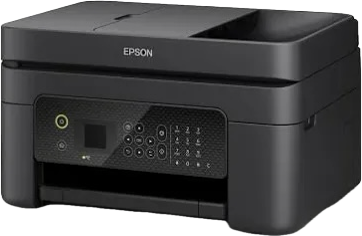
The WF series of Epson printer/scanners also have this built in function. Instructions can be viewed here on pages 159-160.

Epson multifunction printer/scanner


Why settle for less when you are scanning documents?
  1. Searchable PDFs allow users to quickly find specific text within a document, saving time compared to manually browsing.
  2. Digitizing paper documents reduces physical storage needs, freeing up space and minimizing clutter. It preserves the paper copy in case of subsequent loss or damage.
  3. Searchable PDFs can be easily shared and annotated, making collaboration with others more straightforward. They are accessible to screen readers. 
  4. For genealogists and family historians, preserve those fragile documents while you can.
Check your scanner's software before looking for expensive alternatives.

This post first appeared on https://carmelgalvin.info

Wednesday, 19 June 2024

Smart tables for your family history


Think of a spreadsheet as a smart table for sorting and organising your accumulated data. Whether you're using Google Sheets, OpenOffice Calc, Microsoft Excel, Apple Numbers, or other programs, use the power of digital tables to manipulate your family history data.

10 uses

  1. Track certificates bought and/or ordered
  2. Timelines - for individuals and/or families
  3. Census data across the years
  4. Tracking DNA data matches / DNA contact list
  5. Land records
  6. Research plans
  7. Records downloaded from a particular dataset 
  8. An index of photos digitised
  9. Progress sheet of biographies/ blogposts/ reports written 
  10. Checklist of resources for a particular area/country

This is a compilation list, some of the best explanations of how and why to use a spreadsheet program for your family history data. 


This post first appeared on https://carmelgalvin.info

Saturday, 26 August 2023

One option for printing DNA matches

DNA matches - Print to PDF

Keeping track of notes added, most common recent ancestors and other useful information added to one's DNA matches across a variety of sites can cause the odd frustration.

Ancestry has no easy solution for printing a list of chosen matches such as those to whom one has added notes. For example, when choosing the matches where notes have been added, the printout from a computer will show the matches but not the notes added.

Why a printed list you ask?  A list printed to PDF that can be stored on one's own computer provides an essential backup. 

I have some siblings who have tested with Ancestry and while they have no desire to log in to look at the matches, they are interested in who the cousins are and how we are related. This provides a means for me to share that information with them via a PDF. 

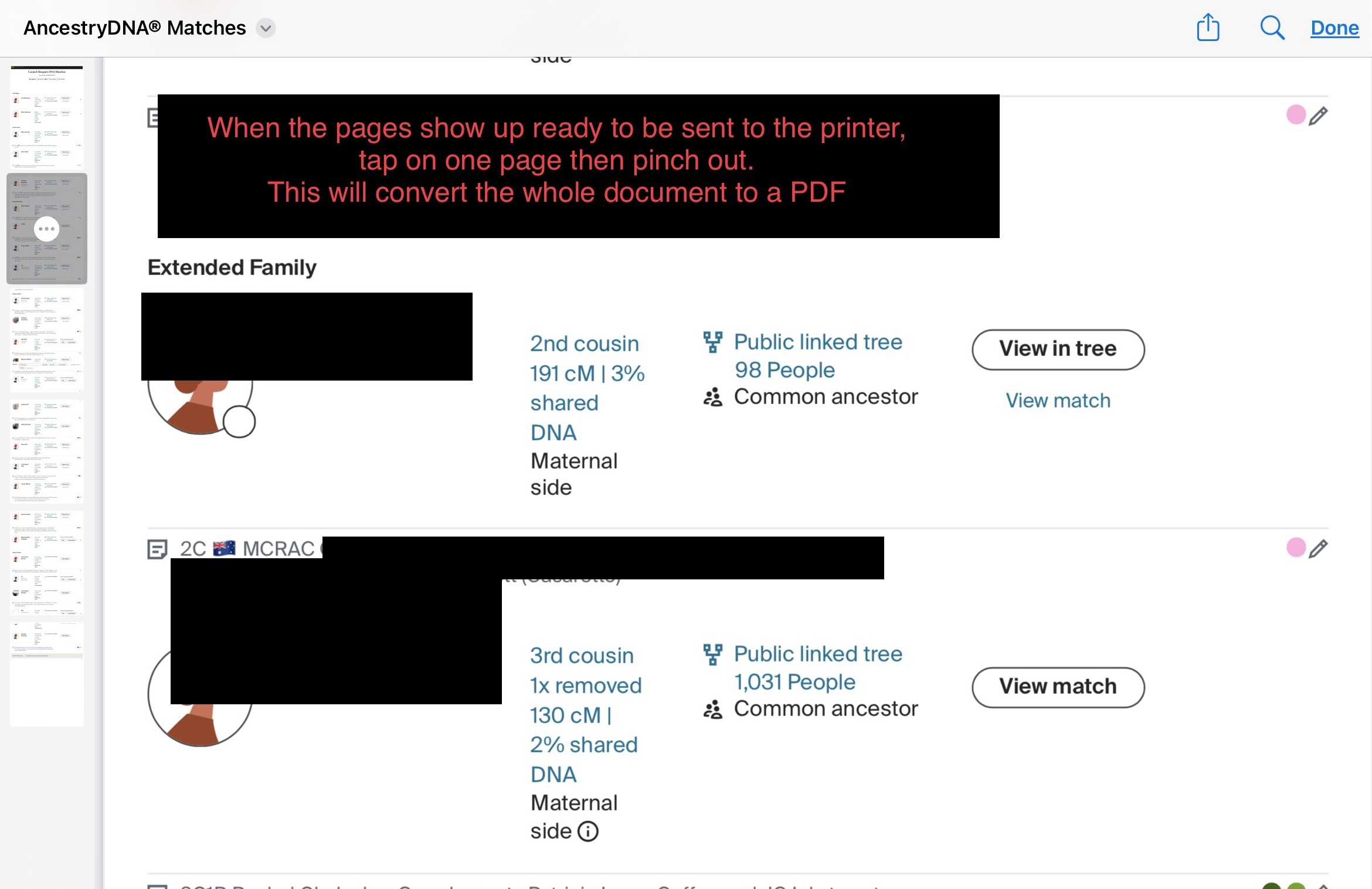
Here's a method to generate such a list using an iPad. 

Log in to Ancestry via a browser not a mobile app. This method works with both Chrome and Safari.
Choose DNA matches - Notes
Choose to Print


Once the resulting file shows up in the side panel, pinch out on one of those pages in the side panel to convert it to PDF.


Now use the Share menu to choose where you want to save the file.


Now you have the list with all notes attached.

Unfortunately this method is less successful with MyHeritage, as notes do not display unless one selects an individual match. However when DNA matches are sorted by label e.g. a Most Common Recent Ancestor Couple (MCRAC) a list can be generated to print. 

At the bottom of the My Heritage matches page, set Results per page to 50. 
This should ensure that you catch the DNA matches that you have identified for any couple.
Now choose Filter by Label to generate the desired list.
Choose to Print as above.
Pinch out to generate the PDF.
Use the Share menu again to choose where to save the file.

By the way, this method works with any web page. If you have Shortcuts enabled on more recent iPads there is a shortcut for Print to PDF.
 
This post first appeared on https://carmelgalvin.info

Saturday, 27 May 2023

Charming buildings in North Queensland

During the past two weeks, we enjoyed a driving vacation up north. We were once again delighted by the breathtaking views along the coast and through mountainous regions. There were many fascinating places to explore. Additionally, we were captivated by the old hotels in Queensland that were constructed many years ago. I captured some of these on my phone.

These hotels used to accommodate a wide range of people. They were once a home away from home for travelling salesmen. They catered to prospectors who were on their way to the prosperous mineral fields of central Queensland, and individuals who visited towns with the intention of spending their hard-earned money.

Some of these hotels have been lovingly preserved, with the ornamental iron railings restored and painted. Others have endured the effects of time and weather. As mining booms came and went, populations dwindled, and storms wreaked havoc, some hotels suffered the consequences.

Here's a selection from some towns of North Queensland.

Royal Private Hotel, Charters Towers
built by Ben Toll in 1888 for former miner William Romberg


Commercial Hotel, Clermont
This building was moved to its present location after a flood in 1916


Molly Malone’s, Townsville (est. 1863)
originally Tattersalls Hotel

Yungaburra Hotel, Yungaburra 
2nd largest timber hotel in the southern hemisphere opened in 1910


Exchange Hotel, Mossman
built for Irish publicans Dennis and Teresa O’Brien in 1896

Crown Hotel, Innisfail


Malpass Hotel, Home Hill
Opened October 1924, named after its owner Joseph Malpass


Grand View Hotel, Bowen (est. 1864)
History

The queen of them all in Rockhampton
Heritage Hotel, Rockhampton (originally Commercial Hotel)
Built 1898 - History

And a last one along the highway that amused us. Yes, that is a crocodile lurking above the entrance but thankfully not a live one!
Koumala Hotel, Koumala
1939 - Koumala: Where's that?

Monday, 10 April 2023

April an acrostic of books


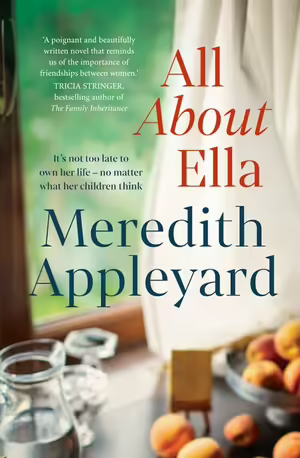
A All About Ella by Meredith Appleyard

P Portrait of an unknown woman by Daniel Silva

R Revenge in Rubies by A.M. Stuart

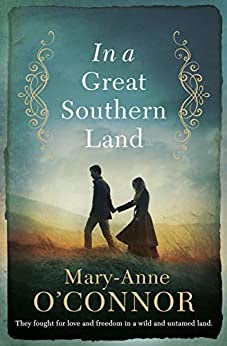
I In a Great Southern Land by Mary-Anne O’Connor

L Lethal White by Robert Galbraith


Family relationships, ageing and new beginnings

At 70 Ella chooses to escape from her family. 

Her husband of 50 years has recently died and her family appear to be more interested in her money rather than her welfare. Ella drives away from Adelaide in desperation and finds herself in a small seaside town. Angie, a 40 year old drifter and Zach the local policeman rescue her from her car. 
This story is about trust, community and family stress. Resolution occurs through the restoration of an old building and the intervention of a grandson. A satisfying read.


Art restoration, crime, action 

Another title in the Gabriel Allon series. I have read and enjoyed at least 6 of these titles but each title stands alone as a complete story.
The renowned art restorer and former head of Israeli intelligence is leading a peaceful life in Vienna when he is called upon to investigate the appearance and sale of the work of an old master. 
Intrigue and and suspense as he decides the work is definitely that of an expert forger. What follows in the pursuit of the forger has a completely unexpected twist in the tail of this engaging novel.


Colonial life in Singapore with a dash of crime and detection

The second in a series set in the steamy tropics of Singapore. 
In 1910 Harriet Gordon is housed with her brother Julian head of the nearby school. Her employment as typist the Straits Settlements Police Force provides some independence, some much needed income and a sense of worth. A brutal murder in the community has her friend and employer Robert Curran investigating. His plea for her help in comforting the distressed, leads to some interesting revelations placing both of them in danger.
As soon as I had finished reading this, I knew I would have to read the third in the series too. 
I keenly await the fourth and final in the series to be released later this year The Harriet Gordon Mysteries.


Colonial Australia, opportunity and oppression

In 1851 fate throws Eve Richards a newly arrived convict and charismatic Irishman Kieran Clancy together. One has seen her misfortunes multiply after the death of her father and the other is escaping the poverty of County Clare with his brother Liam. 

Fortune favours the brave as Eve finds a secure position after surviving a shipwreck in southern seas. From the farmlands of New South Wales Kieran is lured to the goldfields of Ballarat.
The depiction of events on the goldfields and the aftemath of the Eureka stockade are well covered. I enjoyed this novel with its portrayal of life in difficult colonial times.

I have just read another title by Mary-Anne O'Connor Where Fortune Lies set in 1879 in colonial Australia. Combine history of the times with romance thrown in, some bushrangers, vineyards and varying fortunes, that combination makes for an enjoyable read.


The fourth title in this Cormoran Strike series has all the twists and turns expected of a private investigation novel. The relationship between the central characters, ever developing and fraught with danger lends a more personal note to this dark tale. Robyn and Cormoran negotiate their way through the back streets of London and rural England to uncover a tale of deeds untold. A fast paced read for those who enjoy a well written crime and detective adventure. Not recommended for the faint hearted.

This post first appeared on https://carmelgalvin.info

Monday, 6 February 2023

Storytime 2023

Books read to Jan 1 - Feb 5

The hot summer weather lends itself to lazy days and time to read.
Here's a selection I have enjoyed this year.


If you enjoy stories set in Australia I seem to have read quite a few of these in the last month.
  • The Orphans by Fiona McIntosh  - Port Adelaide, Farina, shearers, undertakers and morticians, struggle for female recognition
  • Exiles by Jane Harper - South Australian wine country, crime fiction, country towns
  • Outback by Patricia Wolf - Crime, Tourism, Drugs, detectives
  • Mackenzie Crossing by Kaye Dobbie - 2 eras in the Australian alps, 1939 Black Friday bushfires, 1997 search for lost family details and romance
  • The Cedar Tree by Nicole Alexander - station life, family feud
  • Keeping up appearances by Tricia Stringer - SA country life, small town setting, women and their interactions and relationships
  • Burnt Out by Victoria Brookman - Blue Mountains, bushfires, capitalism, media
This post first appeared on https://carmelgalvin.info

Sunday, 1 January 2023

Read and Listed in 2022

A year of books

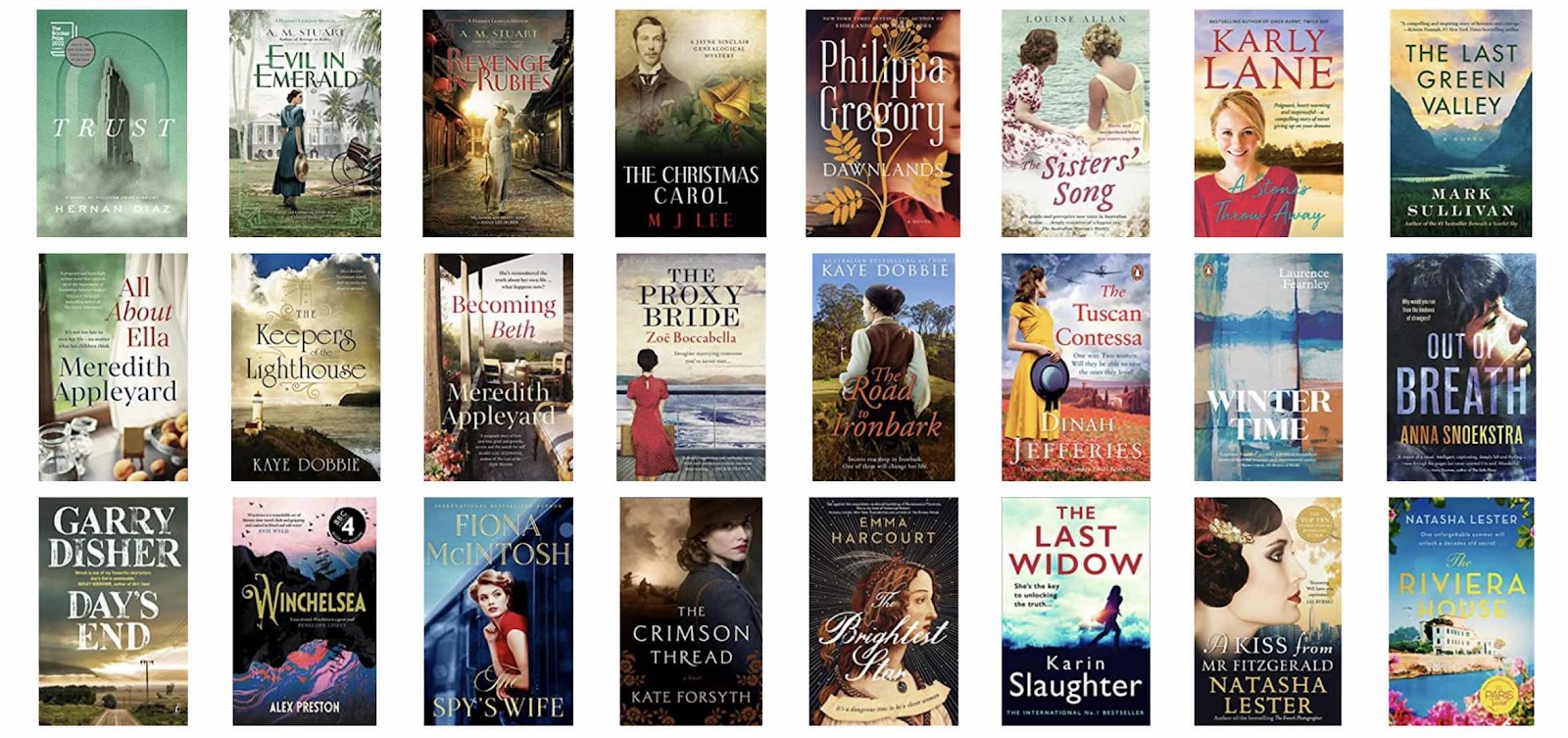
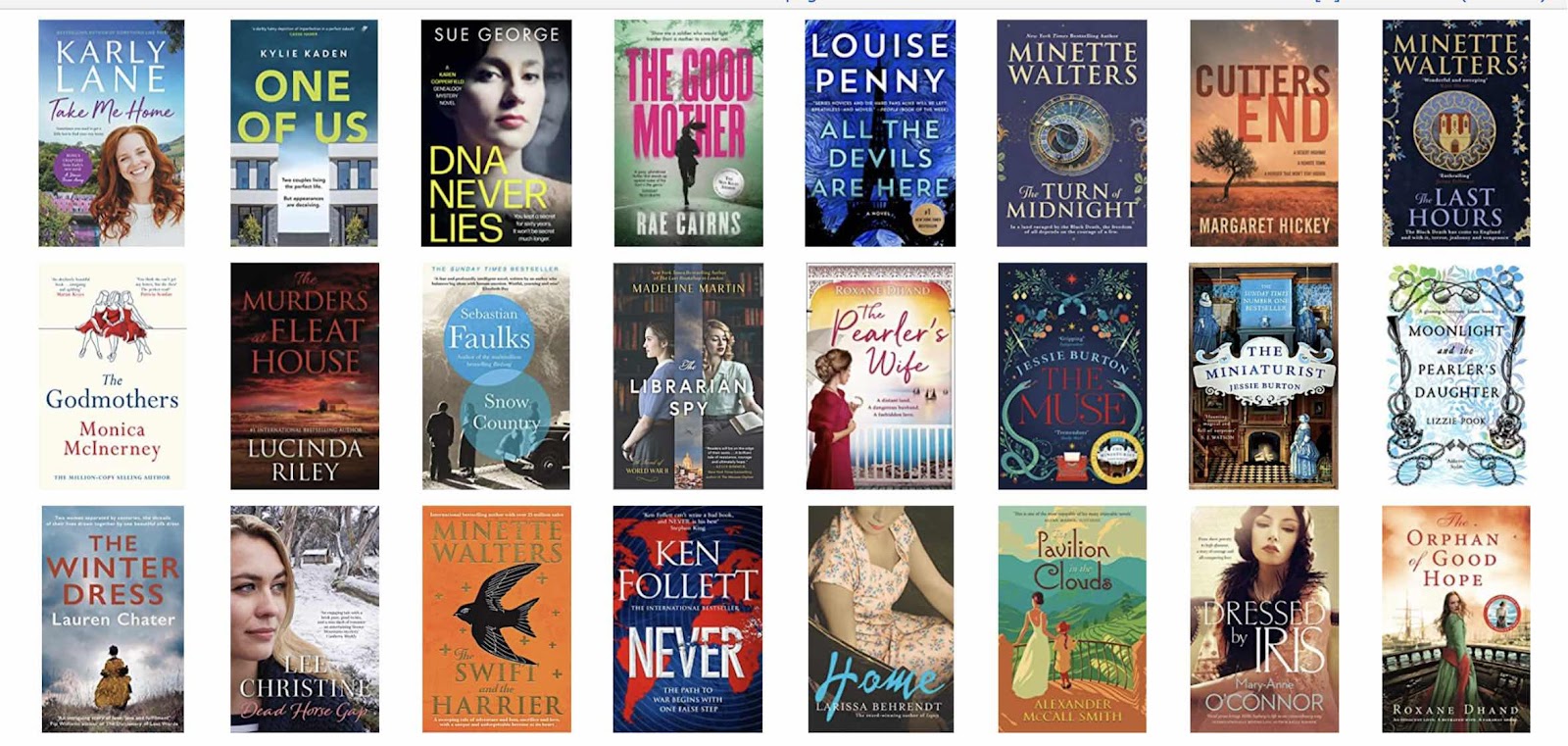
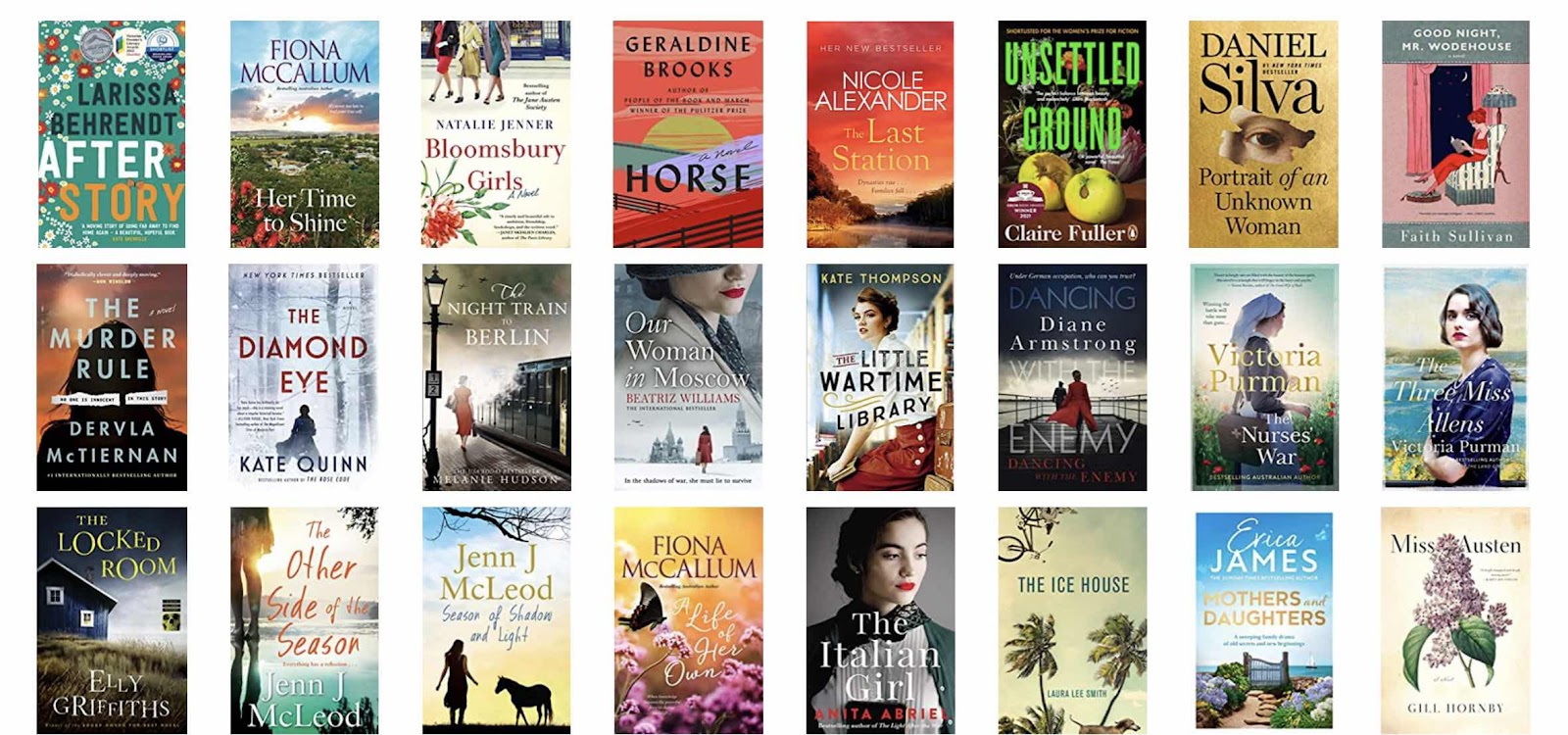
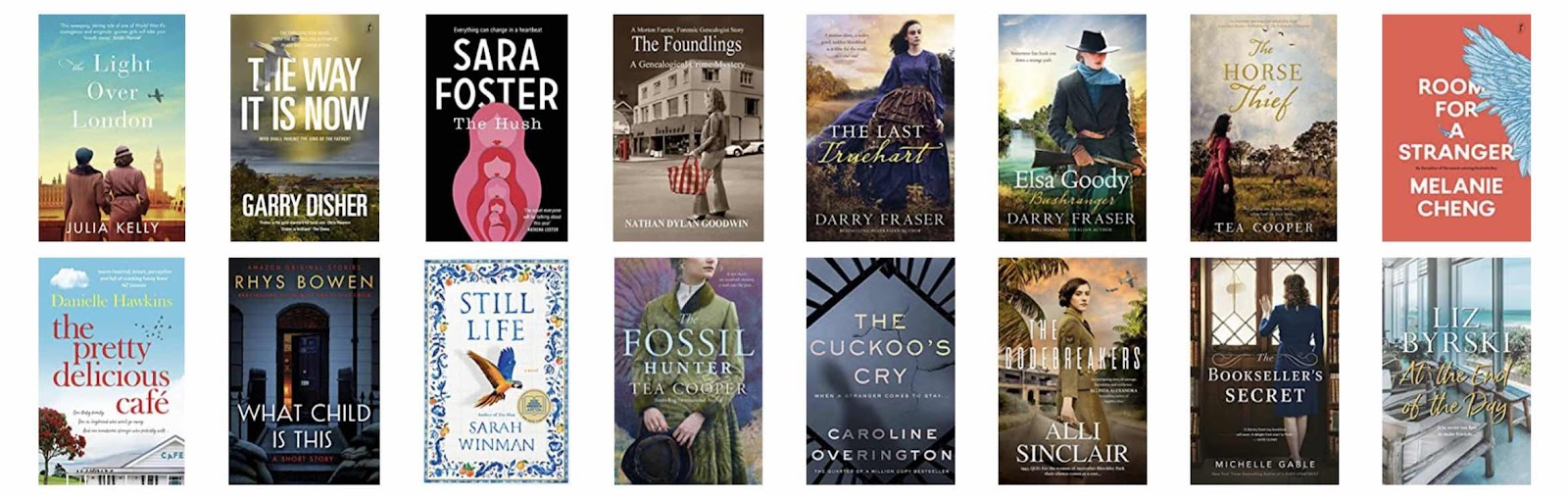
Each year I read about 100 books and record them on LibraryThing. It appears that I recorded 104 books on that platform this year. When I read books that I think are not worth recording they don't make it to my list, so I probably read at least another 10 not added in. Then there are the times when I have returned books to the library and forgotten to record their titles

Having just seen Jill Ball's post about books she had read in 2022, I looked for the cover display of the most recent 100 books I have read. 

The covers below display some books from most recently read back to January 2022.


Lots of fiction, some favourites this year in no particular order but historical fiction dominates.
  • The Swift and the Harrier by Minette Walters 
  • Dawnlands by Phillipa Gregory
  • Horse by Geraldine Brooks
  • The Little Wartime Library by Kate Thompson
  • The Brightest Star by Emma Harcourt
  • The Diamond Eye by Kate Quinn
Some crime and mystery fiction enjoyed
  • The Chalk Pit by Elly Griffiths
  • The Murder Rule by Dervla McTiernan
  • The Way it is Now by Garry Disher
  • Portrait of an Unknown Woman by Daniel Silva

This post first appeared on https://carmelgalvin.info

Sunday, 20 November 2022

Writing quick Ancestor biographies

Here’s a quick tip to stop one revising and spending editing time on every sentence written. Get the draft written by voice.
  • Open your timeline of research on an ancestor, whether it is in your genealogy software, in a spreadsheet or an online database.
  • On your phone open a Google doc or any notes app or Office and tap the microphone.
  • Talk about each fact in the timeline adding as little or as much as you want.
  • Now you have a draft document you can return to, edit and enhance later.
This works for me, have you tried it? 

This post first appeared on https://carmelgalvin.info

Sunday, 21 August 2022

Scanning tools and adding text to photos

#NFHM2022 Week 3 - Two tools


Recently I have been re-scanning some old family photos and paying greater attention to the correction details available within the scanner's software. So this post is about two tools I find very useful for family history.

1. The Scanner

My Canon LIDE300 flatbed scanner provides a range of tools for making colour correction to those old faded photos from the seventies and eighties. It is also simple enough for excellent correction to be made to old sepia and black and white photos.

I'm sure most scanners' software would have these functions, it is just a matter of taking time to find them. The temptation to just choose Photo for a simple scan does not reveal all the tools but simply saves the scanned photos to a designated folder.

Using the scanners' software gives me many of the correction tools I would otherwise need to use in a program such as Photoshop.

From the opening screen one selects ScanGear to reveal all the possibilities. 
Scanner menu

Place more than one photo on the platen and preview.
Choose individual settings for each photo before final scan.

In the screenshot of the Preview screen above the photo on the left is from the 1970s with fading correction set to medium and the one on the right from the mid 1980s with fading correction set to low.
Further adjustments can be made to each photo prior to the final scan using the saturation/colour correction, brightness/contrast, black/white points or tone curve tools.

2. Paint by Microsoft

This small utility program comes pre-installed with Windows. When I have a photo or newspaper clipping that I want to add text to, this is a simple method.
 
Find Paint by searching in the bottom bar on Windows. 
  1. File >Open to navigate to your image, or copy and paste an image in.
  2. Use the dot displayed at the centre bottom of your photo to pull down to extend the canvas
  3. Select the text tool and draw a text box in the white space now available
  4. Type in the box
  5. Save file as jpg or png
Paint is also a simple free way to add arrows and other shapes to screen clippings as in the Scanner images at the beginning of this post.

Here is a short demonstration of how to add text using Paint, to any image file


Monday, 6 June 2022

Making an Impression

Is the information your genealogy or family history society distributes attractive?

A recent review alerted me to the inadequacy of some of our print materials.
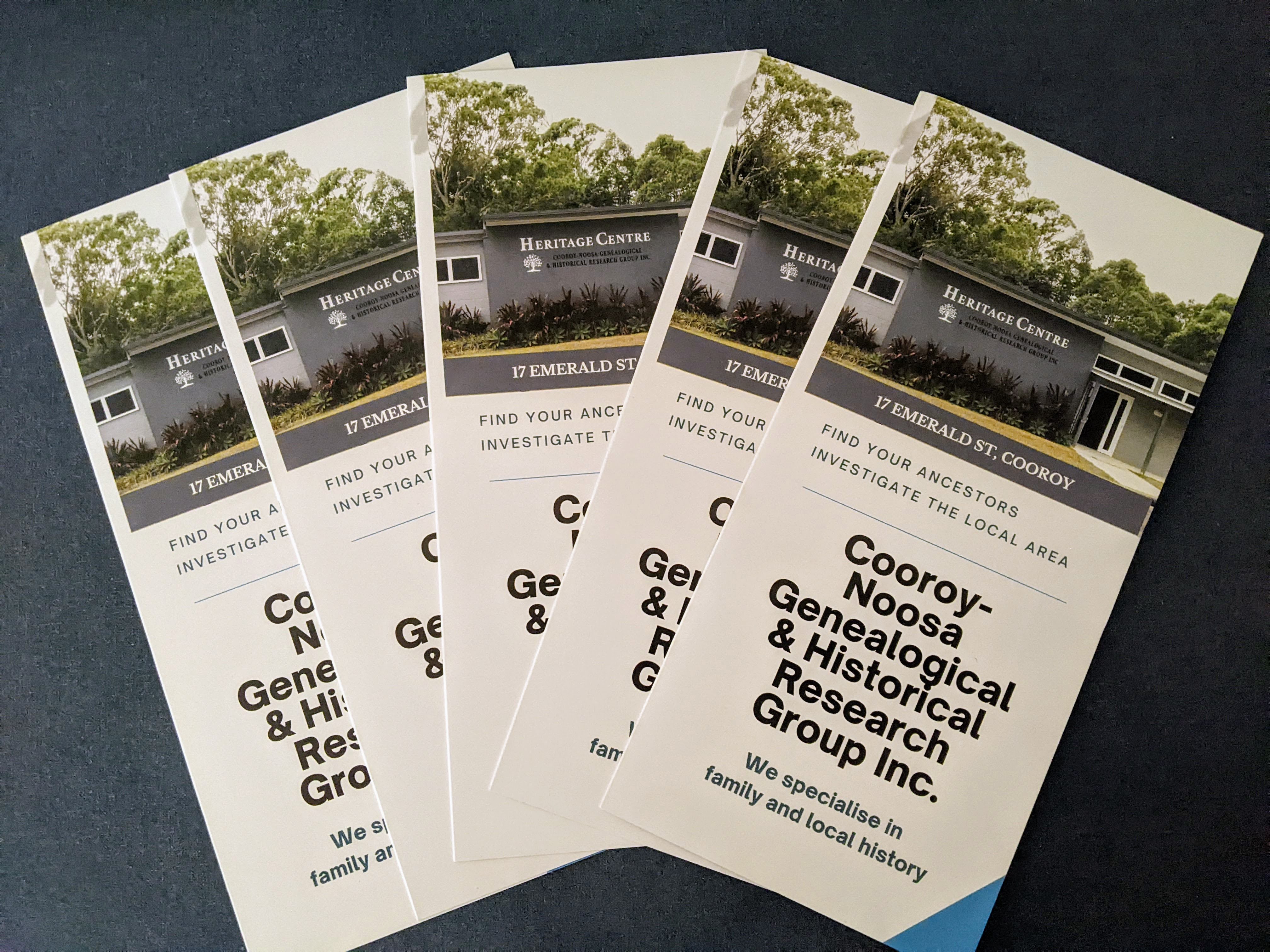
Enter Canva for Non Profits. Through our free Pro account we now have access to a wide range of templates that make updating our image easy. Last week I made a new trifold brochure for our group, a simple process and our group members are pleased with the result. I have no design or artistic talent but thanks to Canva's wide range of professionally designed templates our signs and posters have received a refresh.

Trifold print brochure

Outside of trifold


Inside of brochure

Next time before printing I will revisit and add a qrcode for our website.

Update - 1 week

Received, great price, beautifully packaged and printed, a high quality product from an Australian based company. Thanks Canva.


This post first appeared on https://carmelgalvin.info

Friday, 13 May 2022

Sailing, Steam, Masters and Mates

Early seamen in Australian ports

Port Adelaide, looking from the Company's Basin. 1867.
SLSA https://collections.slsa.sa.gov.au/resource/B+948

Masters and Mates

The job of a Clerk required he must be able to write clearly and such was the case in the Board of Trade Registers that kept track of seamen, as they qualified for their certificate as Mates or Masters. In this post, I am referring to the certificates that are found within the  Australian Colonial Joint Copying Project which can be found here online through Trove. These registers cover seamen from across the world who plied the seas in colonial times from 1874 until 1921. Some obtained their Board of Trade certificates across different colonies and States.

I decided to find all the South Australian-born men from each of the registers. The best procedure seemed to be to go ahead and transcribe those found which would then be useful for other genealogists searching for their South Australian seamen. 
I set up a spreadsheet with the following headings 
No. of certificate, Name, Date of Birth, Place of Birth, Certificate granted, Date of certificate, the Number of the image in the microfilm where it appeared and lastly, the Source with a link to that page of the microfilm.

https://nla.gov.au/nla.obj-1939872471/view


The registers often gave one, two or three first names, very useful for identifying an individual and matching him up with other records. The date of birth as seen above is just the year. The place where they were born is under the headings of Born at and County but often these were filled with a city or suburb, county or indeed country, sometimes a combination of all of these.

The next area details the sort of certificate awarded with the date it was recorded. Certificates were awarded for Only Mate, Second Mate, First Mate and Masters, so a seaman can be followed through the years if he progressed up the ladder. There are also distinctions between Master of a sailing ship and Master of a steamship.
The Exchange Hotel on the corner of Commercial Road and McLaren Wharf, Port Adelaide.
The hotel was completed in 1881. Perhaps the seamen in the port liked to gather here.
SLSA https://collections.slsa.sa.gov.au/resource/B+5655


Reflections on transcriptions

Generally, the handwriting in these records is clear and easily read but occasionally I needed to search the internet for a place name previously unknown to me Karlshamn, Sweden could have been incorrectly transcribed as Karlshainn as an errant dot on the paper could change the first loop of the m into an i.

Viewing the records - some considerations

Each page of the microfilm has to be selected then enlarged to be able to read the text. This involves multiple clicks for each image not so great for potential RSI.  The back and forward buttons revert the images to the original size. An alternative method is to download a microfilm or part of it as a PDF file. This can be enlarged to a suitable viewing level just the one time before scrolling through all the pages in the file. 

From the second Victoria file, I could choose just the images that had been recorded in South Australia Victoria, Includes South Australia, 1916–21 https://nla.gov.au/nla.obj-743616295


Limitations

Originally I commenced transcribing all the records listed, a huge job. I needed to think about where and how the records would eventually be stored. I decided this would be better limited to a narrower field of interest, South Australian records but that would still include those recorded in all the colonies including New Zealand.

Place names – shire, county or country? 

It was sometimes necessary to distinguish between place names adopted in Australia from the original places in England, Ireland and Scotland. e.g. Birkenhead in England or South Australia.
Sometimes place names such as Lerwick were listed as Shetland and other times as Scotland.

Names 

It would have been better had I separated the surname and first names into separate columns but having used a spreadsheet this is easily achieved by using the Text to Columns feature in Excel or Split text to columns in Google sheets.
Sometimes names were recorded differently for the same man so Douglas, Archibald Home of West Australia became Douglas, Archie when he qualified for 1st mate in 1916.

Additional details

Here is Thomas Hughes Owen of Holyhead. On Certificate 395 he is made First Mate then Certificate 436 in 1894 has him certified as Master with death details included. I did not add any of these extra details to the spreadsheet but the link to the images is recorded. As family historians we know to always look at the original image if possible.

https://nla.gov.au/nla.obj-1939907770/view

Ellis Thomas Tree claimed that he was born in Adelaide (South Australia)  when he was awarded his Second Mate certificate in Auckland, NZ. There does not appear to be a record for his birth in the South Australian indexes but there are other members of a Tree family born in years just after 1851. Perhaps this is the only place that his birth and death details are recorded.


Access to the Data transcribed

In the future, the data will most likely be added to the databases at Genealogy SA but in the meantime, if you have a South Australian-born man who has disappeared from records you have searched, he may be listed here. If you are reading this blog in the middle of May 2022 I may be able to direct you to a record for him, ask me in the comments. 

Under consideration

There are Registers of certificates of competency. Engineers: colonial, 1877-1921 [microform]/ as filmed by the AJCP. It lends itself to transcription........ Have you considered transcribing some records for your genealogy society?

This post first appeared on https://carmelgalvin.info

Wednesday, 26 January 2022

Geneary and eleven others


What shall I do?

Much has been written about establishing goals in whatever field of endeavour that interests one. If you are stuck for ideas here's a genealogy slant on the months of 2022. After all, one wants to have fun!

Geneary

This month is nearly gone today being the 26th. I've done some web editing for the local society, attended planning meetings, prepared a display, updated an index, edited some entries in our library catalogue and purchased a new laptop for the local group. We are all weary of the ongoing Covid pandemic but a successful volunteers' morning for our group brought us together with hopes for a better year.

Febituary

A blog post is planned with obituaries found in Trove relevant to my families' stories. 

Marchart

Perhaps I'll look at the variety of charts available through the genealogy software packages. Keep these in mind for family gifts.

Appreality

Time to revisit all those apps on my devices, tablet, phone and computer. Do I really need 4 notetaking programs, 5 genealogy programs and 3 cloud services? I'm sure there are more than those, it will take time to review their uses.

Maydoit

Oh, this is an easy one, there are so many things I may do! What about finishing digitising the photos or compiling those blog posts into some order for publication. I may do it.

Junkit

What's in the bottom of that cupboard and those drawers? Is it time to discard rarely used resources purchased in the fresh flush of genealogy endeavours?

Jubilate

More than halfway through the year it will be time to celebrate all that has been achieved.

Augmentit

Time to get back to Wikitree and add ancestors' profiles, sources and biographies. Could be a month to improve the entries on FindaGrave as well.

Septarate 

Perhaps break up those stories into separate families for ease of reading

Octendit

Extend the previous months' activities into this one, sure to get something done!

Novover

Not time to move over yet, but a rollover of tasks not previously done. Oh dear, this is getting repetitive.

Declaimber

Time to tell one and all about the wonderful achievements throughout the year. 
Cheers to a successful genealogy year.

Now what was it that I came to the computer to do?

This post first appeared on https://carmelgalvin.info

Enjoyed this post? Want to see more?